Standard
Design

The default visual language for klob apps and websites.

Download kit
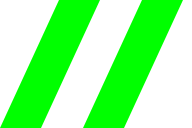
Construction of the double-slash mark. One solid green slash and one outlined slash share the same angle and baseline.
separator.svg

Color palette

Neutral surfaces with a single green accent. Select a swatch to copy its hex.

Paper #FAFAF8
Ink #171717
Paradigm green #00FF00
Green on light #007500

Typography

Space Grotesk for headings, interface labels, and body text.

Aa Bb Cc Dd Ee Ff Gg 0123456789 // & @
The kit includes WOFF2 for the web and TTF for native apps.Font license

Components

Adjust the grid to try the controls. Changes apply to this preview.

grid preview

Lines · 24 px · Guides on

Preview settings

Grid pattern
Control conventions
Buttons
Give the main action a green, uppercase verb. Outline secondary actions. Give icon-only buttons a spoken label.
Menus & popovers
Put commands in a menu. Put a small, immediate edit beside its trigger in a popover. Escape closes either and returns focus.
Settings
A switch takes effect immediately. A settings dialog holds edits until Save. Cancel and Escape discard the draft.
Sliders & fields
Pair a slider with an exact value and units. Keep the last valid preview while someone corrects an input. Put the error beside the field.

Primary action

Use a short uppercase verb. Keep one action prominent.

Appearance

Start with the system theme and remember an explicit choice.

Keyboard shortcut

Pair a visible control with its key and a clear focus outline.

The kit includes this working example and its source.Download kit

Konami rainbow mode

Required in every app and website that uses Standard Design.

Up, Up, Down, Down, Left, Right, Left, Right, B, A.

Enter the sequence or use the toggle. Repeat it or press Esc to exit. Reduced motion keeps the rainbow still.

Conventions

Double slash
Use // between a name and its context, as in klob design. Keep it out of spoken labels.
Names & copy
Write app names in lowercase. Label controls with the action they perform.
Layout
Left-align content. Group related controls in compact panels with square edges and thin dividers.
Native apps
Carry the palette, type, and theme choices into platform-native controls. Keep familiar focus, touch, and keyboard behavior.

Browse

Keyboard shortcuts

Copy manually

The text is selected for copying.